

Ensuring Every Child Continues Learning – Even During Crisis
Access digital learning platforms, educational resources, and guidance to help children continue learning during the current emergency in Lebanon, anytime and from anywhere.
- English
- العربية
This page provides students, caregivers, teachers and educators with access to essential digital learning platforms, resources and guidance materials to support every child in Lebanon to continue learning during the emergency crisis
These resources are addressed to children enrolled in both formal and non-formal education.
It also includes guidance materials, tutorials, and training resources to support teachers and students in navigating digital learning platforms and resources effectively and safely.
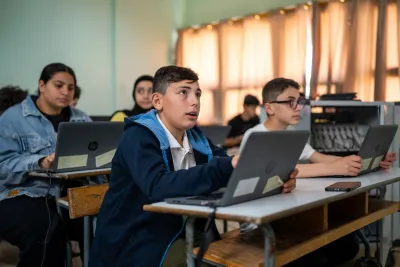
Formal Education Platforms you can access:
Formal Education Platforms
Madristi is the national digital learning platform used to support public school education for all grades and subject. All resources on Madristi can be downloaded for offline usage
Madristi access integrates with Microsoft Teams to support remote and blended learning.
Students and teachers in public education should use the credentials provided by their school to access to access Microsoft Teams and the Madristi platform. Students and teachers in private and semi-private schools can create their own account to access the platform
The CERD E‑Books application provides official digital school textbooks aligned to the Lebanese curriculum.
Students and teachers can access the textbooks online and download them for offline use on mobile devices and laptops. The CRDP-Ebooks app is accessible through:
Special features: user can highlight and write notes directly inside the book and record ideas and notes by voice while studying. The search function also allows users to go directly to the required page.
Students who need help with their lessons or homework, can receive support through the Call& Learn tutoring hotline. Qualified teachers are available to provide guidance and answer questions for all grades and subjects.
To access this free of charge academic assistance, students only need to send a WhatsApp message to the hotline: +96171372321 including their name grade level and the subject, they need help with.
Education tutoring services include individual and/or group calls as well as individualized learning plans for children with significant gaps
Short educational Videos and live lessons are also posted on the Call & Learn Social Media channels.
Non‑Formal Education Platforms you can access:
Non‑Formal Education Platforms
The Learning Passport (also known as “Ghadi Byadi”) is a digital learning platform developed by UNICEF in partnership with Microsoft to expand access to education for children and youth, especially in remote, underserved, and emergency contexts. It provides flexible, inclusive learning opportunities that can be accessed anytime and anywhere.
The platform offers structured, curriculum-aligned content across key areas:
- Basic education: Literacy (Arabic, English, French), numeracy, and sciences (e.g., health, plants, physics)
- Digital and life skills: Digital literacy, employability skills, and entrepreneurship basics
- Caregiver support: Home learning activities, mental health guidance, and health and online safety awareness
- It also supports remote and blended learning by enabling teachers to share lessons easily and track student progress, even when devices are shared.
Who benefits:
- Children: Core academic subjects
- Youth: Skills for employment and personal development
- Caregivers: Tools to support learning at home
- Teachers: Simple solutions for delivering and monitoring learning remote
You can use your email to create your free account on the platform.
Akelius supports foundational English and French language acquisition through structured and interactive lessons designed for children and youth learning in multilingual contexts.
Teachers Training and Guidelines
Students, caregivers and educators can find a range of training materials and guidance resources to help them effectively utilize these digital learning platforms and remote learning services.
Madristi Platform
CERD E-books
Learning Passport
Akelius Application
Support Services Material
***Click on the links to access the resources
***Click on the links to watch the videos
- Sign In to MS Teams Online
- Launch MS Teams and Discover the Main Interface
- Create and Manage Channels
- Add and Remove Members in the Channel
- Schedule synchronous meetings: Schedule meetings in a channel and send invitations
- Manage Live Meetings (screen sharing – whiteboard – communication) – Record Session (Access and Save recording and sharing them with learners)
- Asynchronous communication tools (Chats – Posts – Announcements)
- Upload, manage and organize files inside folders. Create tabs within the channel.
- Guide to Use Madristi Platform
- Download and Use lessons uploaded from Madristi
- Assignment and Task Tool
- Return assignments and provide feedback
- Poll
- Prepare and share a quiz
- Review class reports in Insights
- Use Copilot to prepare lesson plan
- Use Copilot to prepare flashcards
- Sharing flashcards with students
- Use Copilot to prepare Rubrics
- Use Reflect Tool
- Classwork
Frequently Asked Questions
| 1. How can learners continue their education under the current emergency conditions? The Ministry of Education and Higher Education (MEHE) and the Center for Educational Research and Development (CERD), in partnership with UNICEF, are activating a set of distance and digital learning solutions to ensure that all children can continue their education safely. This plan includes the “Madristi” platform, CERD e-books, and the “Call and Learn” initiative, which allow learners to access lessons and educational materials wherever they are, ensuring continuity of learning during this period. |
| 2. When can distance learning begin? According to the circular issued by MEHE, distance learning will be adopted in the coming weeks. UNICEF, in coordination with MEHE, sent an SMS on Saturday, March 7, containing usernames and passwords for public school teachers to access the “Teams” and “Madristi” platforms. Additional guidance will be sent progressively. If you did not receive the message, please contact the IT focal point at your school or the school principal. |
3. What services are available to support teachers in using educational platforms and applications? |
4. What is the duration of each lesson, what will the weekly schedule look like, and will sessions be recorded? Each session lasts 40 minutes, with 24 sessions per week over 4 days according to the set schedule. Yes, sessions will be recorded for later access. |
5. If the school is in a safe area, can teachers attend and deliver lessons from the school? Yes. Distance learning can be implemented by teachers and administrative staff attending the school if it is safe, or from nearby schools, teachers’ centers, or guidance and counseling centers, provided distance learning tools are available, or from home. Attendance must be recorded by the relevant administrator. |
6. Is there free internet to support distance learning for public school teachers and students? Yes. Following directives from the Minister of Telecommunications, Touch and Alfa have launched a free 20GB package to support distance learning for public school teachers and students. It is available Monday to Friday from 7:30 AM to 2:00 PM and provides free access to Teams, Madristi, and other educational platforms designated by MEHE. |
FAQs
1. What is the “Madristi” platform? It is an educational platform for all learners in public and private schools following the Lebanese curriculum, from kindergarten to Grade 12. It provides comprehensive educational content to support learners in their studies. This content is developed by CERD and its partners. MEHE adopted the platform to support distance learning. |
2. Who can use this platform? All learners and teachers can use the platform and its resources according to their educational level. Public school users can log in using their Teams account, while others can create an account using their email (Gmail, Hotmail, Yahoo, Outlook, etc.). |
3. When and how can I access lessons and resources? Learners can use the platform at any time or according to teacher guidance, especially in emergencies. |
4. What are the ways to log in and use the platform? There are two ways:
|
5. How do I get a username and password? Each registered learner and teacher has their own credentials. Contact the school principal or IT focal point. Teachers received theirs via SMS. If errors occur, contact the school, which will escalate the issue. If you do not have credentials, you can log in using your email. |
6. Where do I enter my username and password? How can I log in successfully? First log in via Teams and change your password. Then use the new credentials to access Madristi. Alternatively, you can log in using your email via the platform link. Learners can also contact Teach For Lebanon via WhatsApp or phone for support. |
7. Can more than one child use the same account? No. Each learner has a unique account tracking their progress. However, multiple learners can use the same device by logging in separately. |
8. I lost my username or password. Use the “Forget my password” option. If unsuccessful, contact your school or Teach For Lebanon for assistance. |
9. I received an error message when logging in. What should I do? Ensure your device is connected to the internet. If the issue persists, contact your school or Teach For Lebanon. |
10. Can I change my password? Yes. You will be prompted to change it upon first login via Teams. You can later change it anytime using the password recovery option. |
11. I received my child’s login details but cannot read or don’t know what to do. Contact Teach For Lebanon via WhatsApp or phone for assistance. |
12. How can I download the Madristi app? Android users can download it from the Google Play Store (Madristi – Learning Passport). It is not supported on iOS. |
13. Can I use Madristi on my phone? Yes. It works on smartphones, tablets, and computers. |
14. Who can help me learn how to use the platform? Contact Teach For Lebanon, ask your teacher, or watch the tutorial video. |
15. I logged in but do not see any courses. Content appears when your teacher adds you to a class on Teams. Meanwhile, you can access materials through the course library. |
16. Will teachers receive training on the platform? Yes. Teachers will receive guidance and can access resources in the Teachers’ Corner. |
17. How can a teacher add students to their class? Students are added through Teams, and the class will appear within 24 hours. |
1. What is the CERD e-books application? It provides digital versions of national textbooks and teaching guides for all grades and subjects, supporting distance learning. |
2. How can I download the CERD e-books app? It is available on iOS, Android, and Windows via app stores or through links on Madristi. |
3. When does the main menu appear? When the app is first activated. |
4. What information is required on first use? Language, role (teacher or student), teaching language, and grade. |
5. How can I access books? From the main screen based on selected grade and language. Books can be downloaded for offline use. |
6. Can I preview books before downloading? Yes. You can preview content and read downloaded books offline. |
7. How can I change language or grade? Through the settings menu. |
8. What can I do in the settings menu? Change language, grade, and enable or disable night mode. |
1. What is the “Call and Learn” initiative? It is a phone-based educational service implemented by Teach For Lebanon to help students understand lessons and answer academic questions in core subjects through direct communication with specialized teachers. |
2. How can learners access support? By contacting Teach For Lebanon via WhatsApp or phone. |
3. Who can benefit from this service? Students from Grade 1 to Grade 9. |
4. What are the working hours? Monday to Saturday, from 10:00 AM to 7:00 PM. |
5. What is the purpose of the service? To provide academic support to learners affected by disruptions in education in Lebanon and help them continue learning. |
6. Is the service free? Yes, it is free. |
7. How does the service address learning gaps caused by crises? It provides immediate and direct academic support to students facing difficulties accessing regular learning, helping reduce gaps and recover lost learning. |